
Developers
API overview and authentication
The ClientTurn REST API at a glance, how keys and permissions work, rate limits, errors and every endpoint available today
3 min readUpdated 26 September 2026
The ClientTurn API lets your own server read and update your workspace over HTTPS. It uses the same permission checks, rules and audit trail as the app.
Base URL
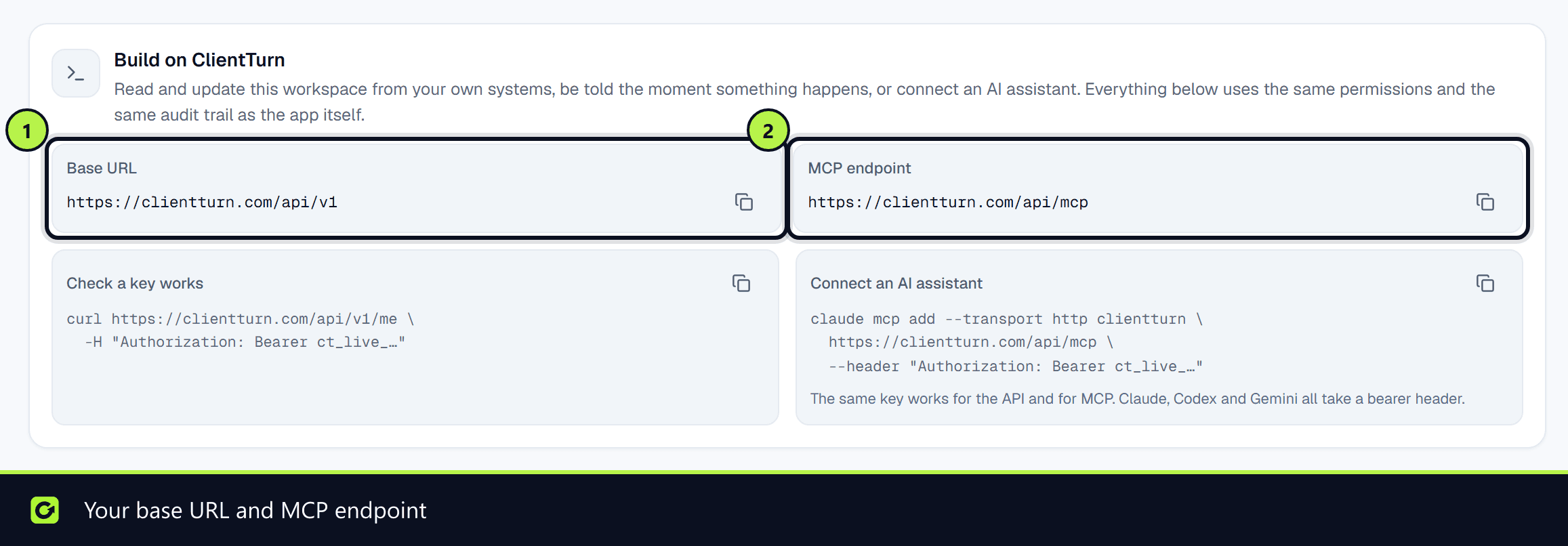
Your base URL is shown in Settings → Developer under Base URL, in the form https://<your ClientTurn address>/api/v1. A GET to the base URL, with no key, returns a machine-readable description of the API: its permissions, endpoints, webhook events and rate limit.
Authentication
Every request carries an API key as a bearer token:
Authorization: Bearer ct_live_…
Create keys in Settings → Developer → New key. Only owners and admins can see or create them. See API keys for the details of creating, restricting and revoking a key.
Two rules decide what a key may do, and the narrower one wins:
- Step 1: The permissions you gave the key when you created it.
- Step 2: The live role of the person whose key it is. A key acts with its creator's access, re-read on every request. If that person is moved to a lower role or removed from the workspace, the key loses that reach on the next call.
Permissions (scopes)
| Scope | Allows |
|---|---|
leads:read | Read your leads and their conversations |
leads:write | Create and update leads |
prospects:read | Read sourced prospects and their scores |
prospects:write | Approve prospects and start sourcing |
campaigns:read | Read campaign performance |
campaigns:write | Change and launch campaigns |
analytics:read | Read your metrics |
business:read | Read your business profile and status |
business:write | Change connected systems and workspace configuration |
agents:read | See your AI agents, how they are set up and what they have done |
agents:write | Create and configure AI agents, and start, pause or stop them |
A write scope does not include reading. A key with only leads:write can change a lead it knows the ID of, but cannot list your leads.
Endpoints
| Method | Path | Scope | Minimum role |
|---|---|---|---|
GET | /api/v1/me | business:read | Viewer |
GET | /api/v1/leads | leads:read | Viewer |
POST | /api/v1/leads | leads:write | Member |
GET | /api/v1/leads/{id} | leads:read | Viewer |
PATCH | /api/v1/leads/{id} | leads:write | Member |
GET | /api/v1/events | business:read | Viewer |
- Creating leads with the API covers
POST /api/v1/leads. - Reading and updating leads covers the rest.
GET /api/v1 needs no key. It returns the API's index, generated from the same lists the API enforces: every endpoint above (including POST /api/v1/leads and its outcomes), every permission, and every webhook event. It is a quick way to check the service is up when a key is failing.
Start with GET /api/v1/me. It returns the workspace, the key's permissions and the live role behind it, so if a later call is refused you can see which of the three is the reason.
Rate limits
- Each key may make 300 requests per minute. Every response carries
x-ratelimit-remaining. - Requests with a key that does not resolve are limited to 20 per minute per address.
- Over the limit, you receive
429withrate_limitedand aretry_aftervalue in seconds.
Errors
Errors share one shape, and every response carries an x-request-id header:
{ "error": { "code": "forbidden", "message": "…", "request_id": "…" } }
| Code | HTTP | Meaning |
|---|---|---|
unauthorized | 401 | The key is missing, wrong, revoked, expired or blocked by its address list. The message is the same in every case, on purpose |
forbidden | 403 | The key lacks the scope, its owner's role is too low, a rule refused the change, or a plan limit was reached |
not_found | 404 | No such record in this workspace |
invalid_request | 400 | The request was malformed |
rate_limited | 429 | Too many requests |
needs_confirmation | 409 | The action needs a person to confirm it, which the API cannot do. effect says what would have happened, so you can ask someone to do it in the app |
conflict | 409 | The change conflicts with the record's current state |
server_error | 500 | Something went wrong on our side |
Related
- Webhooks, to be told about changes instead of polling
- Connecting an AI assistant
Screenshots
Still stuck?
Customers can raise a ticket from the help button inside the app. Not a customer yet? Talk to us.