
AI agents
What are AI agents?
The four kinds of background agent (sourcing, closing, re-engagement and combined), what each actually does, and what none of them will do
2 min readUpdated 28 September 2026
An agent is a background worker you configure once and leave running. It works to a schedule, inside limits you set, and records everything it does. You manage agents from Agents in the sidebar.
Agents are different from the conversation assistant, which answers a lead's messages. See The conversation assistant.
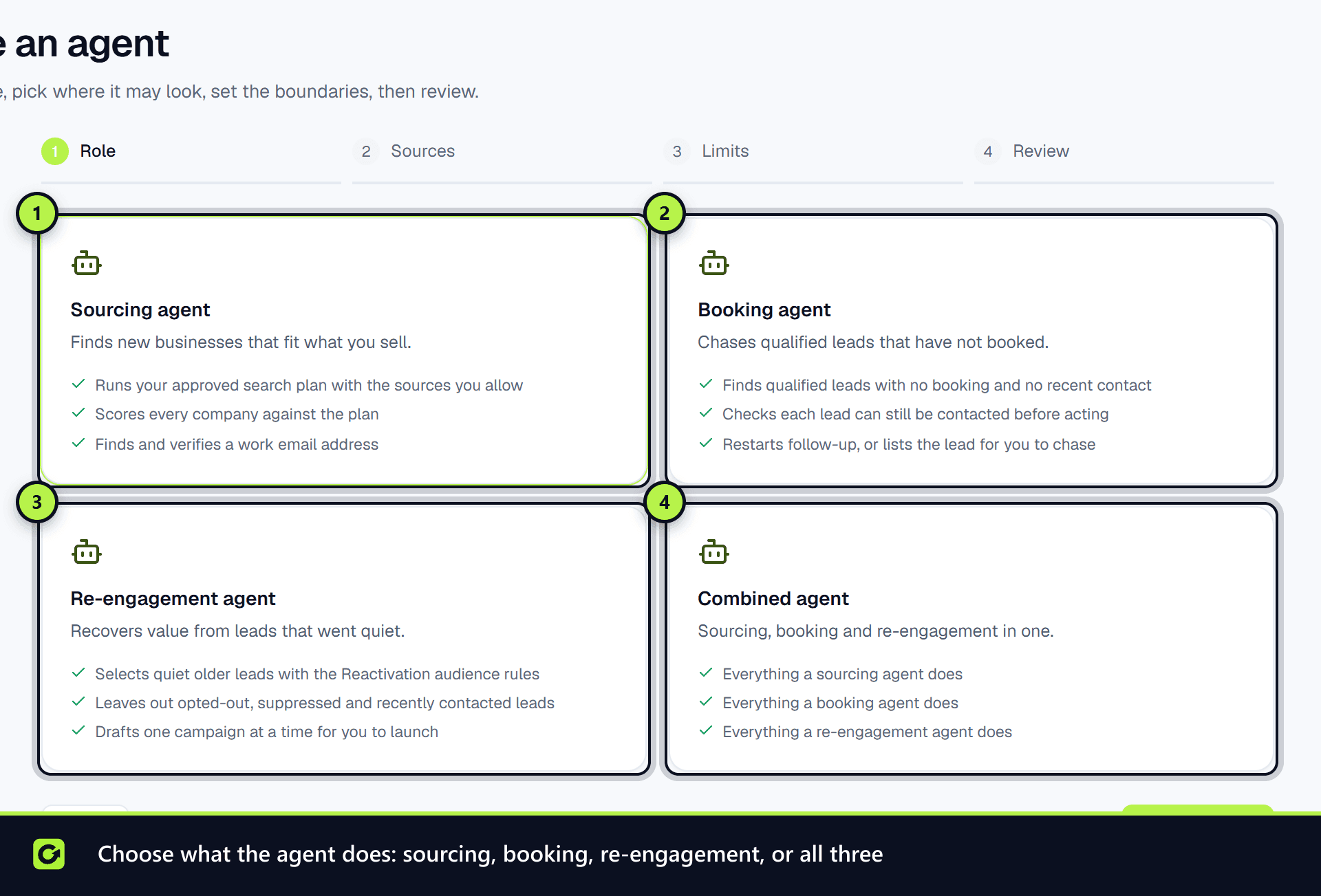
The four kinds
| Agent | What it does |
|---|---|
| Sourcing agent | Runs an approved Find Leads search plan on its schedule: finds companies that fit, checks each against your ideal customer, finds and verifies a work contact, and puts the results in front of you as prospects |
| Closing agent | Looks for qualified leads that have gone quiet short of their goal: a meeting not booked, a product or service not bought, or a subscription or trial not started. It follows each lead's own goal, so a lead who booked a demo but has not paid is still chased when the goal is a sale. Leads a checkout link or a quote is already chasing are left to that follow-up, so nobody is chased twice. When it is allowed to act on its own, it hands the rest back to your follow-up so the next step goes out |
| Re-engagement agent | Picks out older leads that never converted, using the same rules as the Reactivation wizard, and drafts a reactivation campaign for them. It never launches the campaign: sending to a whole audience is always a person's decision |
| Combined agent | Sourcing, closing and re-engagement together, sharing one set of limits |
What every agent respects
- It starts as a draft. Creating an agent never starts it.
- Limits are ceilings it cannot raise. An agent cannot change its own schedule, limits or approval setting, or switch off its own supervision.
- It never contacts anyone directly. Messages go through your follow-up engine or campaigns, which re-check consent, suppression, opt-outs and quiet hours before every send.
- It cannot approve its own findings. Approving a prospect is a person's decision; an agent can only reject one.
- It cannot delete anything or hide a problem. It cannot disconnect a system or dismiss a failed event.
- Every run re-checks your subscription and AI credits. If either says no, the run does not go ahead.
Related
Screenshots
Still stuck?
Customers can raise a ticket from the help button inside the app. Not a customer yet? Talk to us.