
Booking and sales
Meeting types and routing
Give different kinds of meeting their own length, buffer and calendar, and decide which person on your team takes each booking by round robin, specialism or lead owner
2 min readUpdated 27 September 2026
By default every booking uses one appointment length, one buffer and your booking calendar. Meeting types let you vary those, for example a 15-minute discovery call for one service and a 60-minute consultation for another, and share bookings across your team.
Add a meeting type
- Step 1: Open Settings → Workspace and scroll to Meeting types, under the booking settings.
- Step 2: Choose Add meeting type.
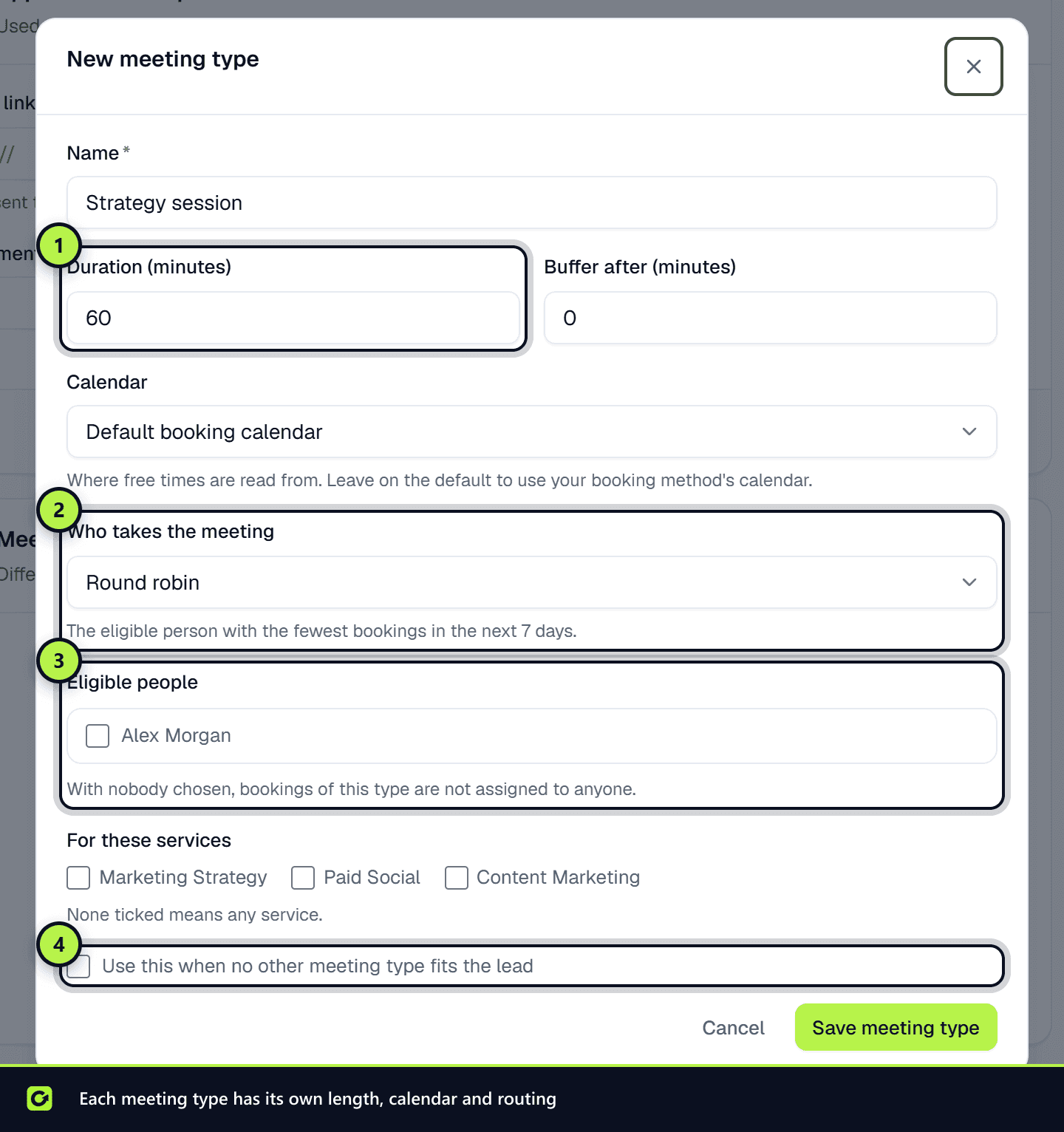
- Step 3: Fill in:
- Name, for example "Discovery call".
- Duration (minutes), from 5 to 480.
- Buffer after (minutes), the time held free after it.
- Calendar, where free times are read from. Leave it on Default booking calendar to use your booking method's calendar.
- For these services. None ticked means any service.
- Who takes the meeting and Eligible people (see below).
- Use this when no other meeting type fits the lead, to make it the default.
- Step 4: Choose Save meeting type.
Owners and admins can add and change meeting types. To stop offering one, choose Archive. Bookings already made keep their meeting type.
Which meeting type a lead gets
- Step 1: A meeting type set up for the lead's service, preferring the default if several match.
- Step 2: Otherwise, the default meeting type, as long as it is not limited to other services.
- Step 3: Otherwise, the first meeting type not limited to any service.
If none fits, or you have no meeting types, the booking uses your standard appointment shape and is not assigned to anyone.
Who takes the meeting
| Rule | Who gets the booking |
|---|---|
| Round robin | The eligible person with the fewest bookings in the next 7 days |
| By specialism | Round robin among the eligible people who specialise in the lead's service. If nobody does, round robin among all eligible people |
| Lead owner | The person who owns the lead, if they are eligible. Otherwise round robin |
For By specialism, tick the services each eligible person specialises in. You must choose at least one person.
People must be on your team before they can be chosen. See Team settings.
Related
Screenshots
Still stuck?
Customers can raise a ticket from the help button inside the app. Not a customer yet? Talk to us.