
Compliance
Suppression, STOP and unsubscribe
How opt-outs reach the do-not-contact list, why STOP on SMS or WhatsApp is per channel while other opt-outs cover everything, how START works, and why suppressions cannot be removed in Settings
4 min readUpdated 27 September 2026
The suppression list is your workspace's do-not-contact list. Every message is checked against it at the moment it is sent, not when it was scheduled. So someone who opts out at 9:00 is not sent a follow-up queued at 8:00.
Suppression is by address (email, phone number or social account), not only by lead record. A second lead with the same address, or a prospect found again later in Find Leads, is suppressed too.
How people get onto the list
| What happens | What is suppressed |
|---|---|
| They text STOP (or UNSUBSCRIBE, CANCEL, END, QUIT, OPT OUT or REMOVE) by SMS | SMS only |
| They send one of those words on WhatsApp | WhatsApp only |
| They send STOPALL on SMS or WhatsApp | Every channel |
| They write a plain-English request such as "please stop contacting me" or "take me off your list", on any channel | Every channel |
| They reply STOP by email or in a social message | Every channel |
| They use the unsubscribe link in an email, or their mail app's unsubscribe button | Every channel |
| Twilio reports they already opted out of your SMS number with the carrier | SMS only |
| An email hard-bounces, or the number is invalid or not a mobile | That channel, as Bounced or Invalid address |
| A spam complaint about your email arrives | Email, as Complained |
| Someone on your team chooses Actions → Unsubscribe from everything… on the lead, recorded as the person's opt-out | Every channel |
| Someone on your team suppresses the lead from its Data rights tab | The channel they choose. See Data rights |
Opt-out words are matched by fixed rules, never by AI, and they work whether or not the conversation assistant is switched on. When an opt-out is recorded, follow-up for that lead stops at once.
Why STOP on SMS or WhatsApp covers only that channel
STOP is a carrier keyword. On SMS and WhatsApp it is what the person's phone network or WhatsApp itself expects, and it is what START on the same channel reverses. So ClientTurn treats it as "stop texting me here". Anything that reads as a wider request, including STOPALL and any written sentence asking you to stop, covers every channel, because that is what the person meant.
START: opting back in
If someone texts START (or UNSTOP, YES JOIN or RESUBSCRIBE) on SMS or WhatsApp, ClientTurn lifts their own opt-out on that channel only. It does not lift:
- an opt-out on any other channel,
- a suppression your team added,
- a bounce, an invalid-number entry or a complaint.
"Start" written in an email or a social message is treated as an ordinary reply and lifts nothing.
One-click unsubscribe in email
Marketing email (cold outreach and automated follow-up) carries an unsubscribe link and the standard header that lets Gmail, Yahoo and other mail apps show their own Unsubscribe button. Transactional email, such as a booking reminder, does not.
- The mail app's button unsubscribes in one step.
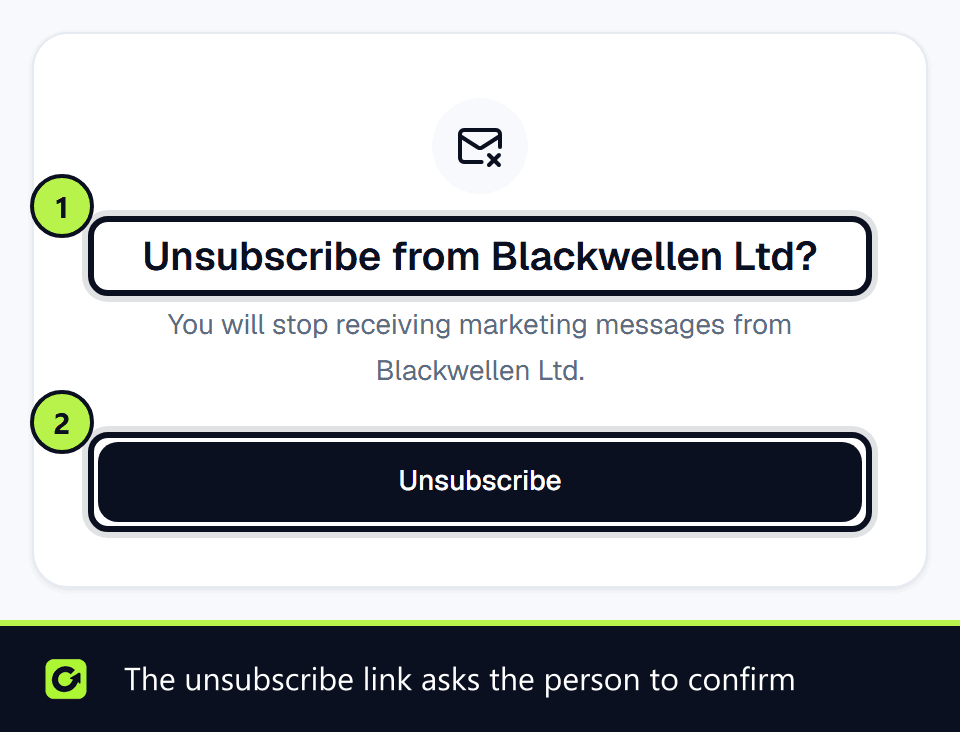
- The link in the email opens a page asking Unsubscribe from your business, with a confirm button. The link does not act on its own. Security scanners open links automatically, and a scanner must never unsubscribe anyone.
Either way the address is suppressed on every channel, and any reactivation messages still waiting for that lead are stopped.
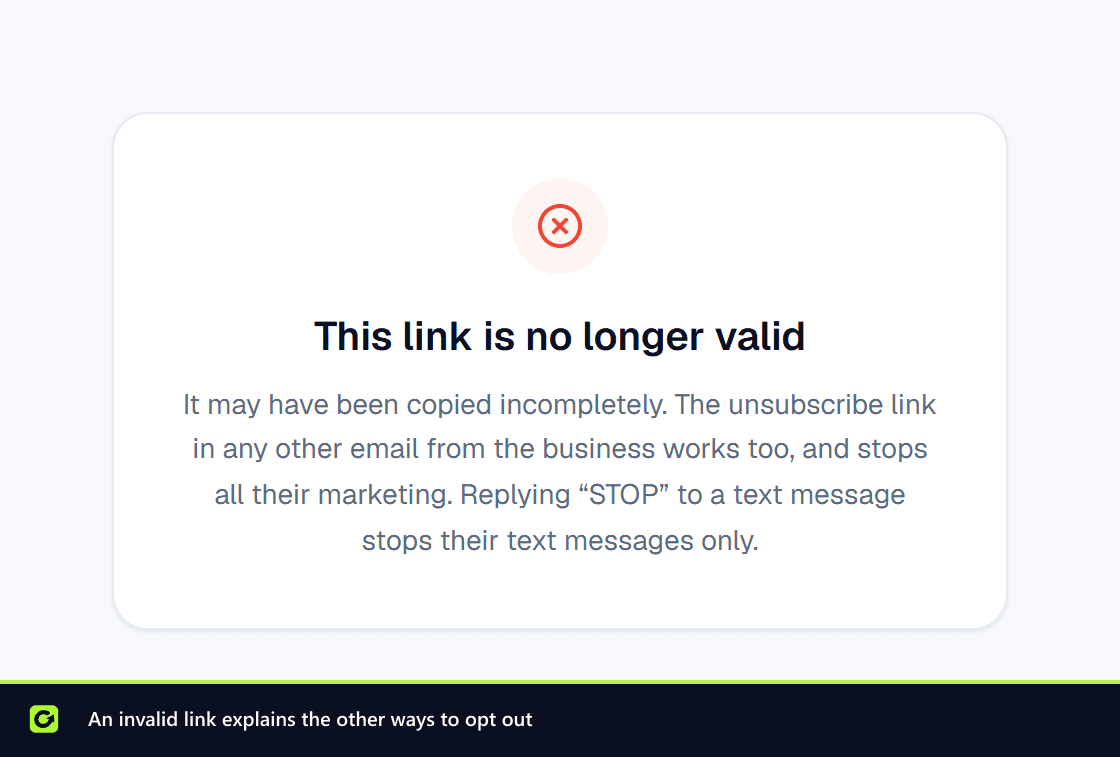
If the link has expired or was copied incompletely, the page says This link is no longer valid. It tells the person that the unsubscribe link in any other email from you works too and stops all your marketing, and that replying STOP to a text message stops text messages only.
Text messages from a sender name
A UK SMS sent from a name (such as your business name) rather than a number is one-way: people cannot reply STOP to it. ClientTurn only sends from a name when it can add another way to opt out, such as an opt-out link. Otherwise the message is not sent.
Seeing the list
Settings → Data Controls → Suppression shows how many contacts are suppressed, broken down by reason: Opted out, Complained, Invalid address, Bounced, Legal request, Added by hand and Provider suppression.
Why you cannot remove a suppression in Settings
There is deliberately no remove button. A suppression usually exists because someone asked not to be contacted. Lifting it is a decision that needs a recorded reason and someone accountable for it, not a delete icon that anyone with access could click.
If an entry is genuinely wrong, for example a bounce from a mailbox that has since been fixed, contact support. The removal is recorded against whoever authorised it.
Related
- Data rights: archive, suppress, anonymise, erase and export
- Consent and WhatsApp opt-in
- Compliance overview
Screenshots

Still stuck?
Customers can raise a ticket from the help button inside the app. Not a customer yet? Talk to us.