
Qualifying
Lead tags
The tags ClientTurn adds to leads automatically, the rule behind each one, and how they are set and cleared
2 min readUpdated 27 September 2026
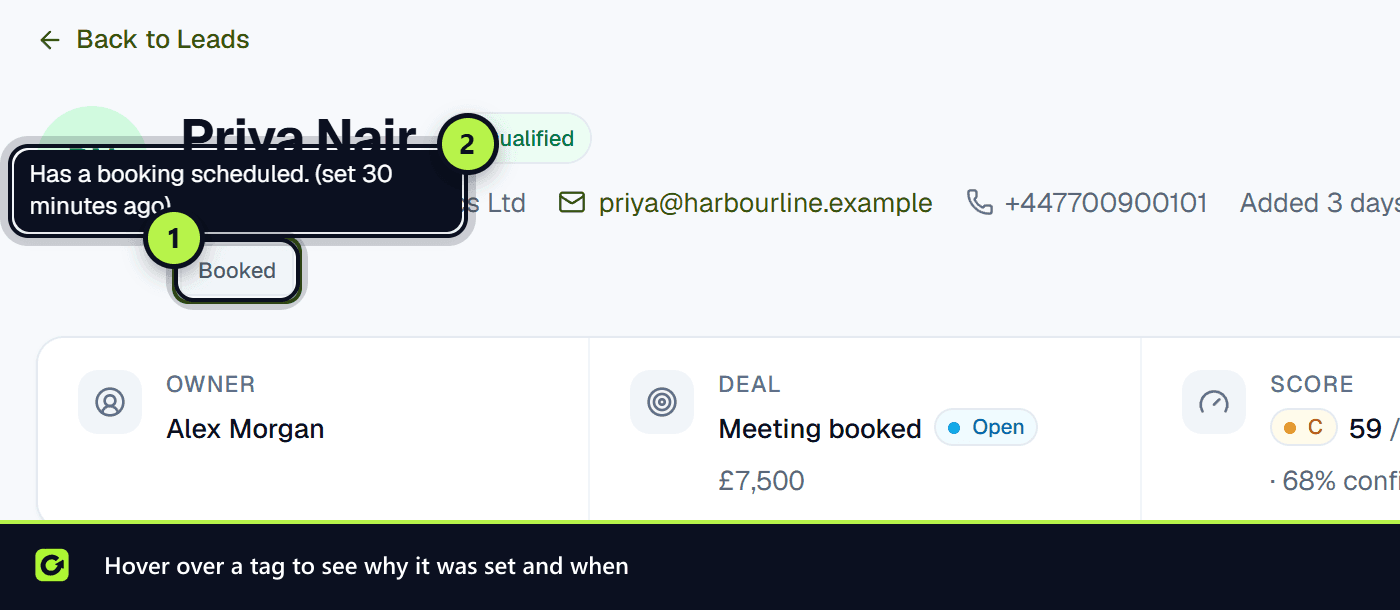
Tags are short labels shown under a lead's name. ClientTurn sets them automatically from the lead's score, its status and the replies it has sent. You do not type them in. Each tag has a fixed rule, and hovering over a tag shows the reason it was set and when.
Tags are worked out again whenever the lead is scored. A tag whose rule no longer holds is cleared, so tags always reflect the lead as it is now. See Lead scoring explained.
The tags
| Tag | Set when |
|---|---|
| Hot | Grade A, with intent at least 60% of its weight, and not opted out |
| High fit | Fit is at least 80% of its weight, and ClientTurn is reasonably confident about it |
| Poor fit | Fit is below 30% of its weight, and ClientTurn is fairly confident about it |
| High intent | Intent is at least 80% of its weight, and not opted out |
| Budget confirmed | Budget has been confirmed |
| Decision maker | The person's role is decision-maker, or their authority to decide was confirmed |
| Enterprise potential | Three or more stakeholders are known, or the estimated value is £50,000 or more |
| Nurture | Good fit (at least 60%) but timing below 40%; not booked, closed or opted out |
| Not now | Their latest reply said not now |
| Booked | Their latest booking is scheduled |
| No show | Their latest booking was marked as a no-show |
| Gone quiet | They replied before, but your last message is newer than theirs and at least 7 days old; not booked, closed or opted out |
| Needs human | Someone has taken over the conversation, or their latest reply asked for a person or was a complaint |
| Wrong person | Their latest reply said they are the wrong person, or referred you to someone else |
| Needs info | ClientTurn knows too little about the lead to score it with confidence |
| Opted out | They have opted out |
Using tags
- Needs info means the score is thin. Qualification will ask about what is missing.
- Gone quiet and Nurture are candidates for reactivation. See Reactivating existing leads.
- Needs human leads are waiting for your team. See Taking over a conversation.
- Wrong person often comes with a name to contact instead. Check the conversation.
Related
Screenshots
Still stuck?
Customers can raise a ticket from the help button inside the app. Not a customer yet? Talk to us.