
Finding leads
Getting leads from TikTok lead forms
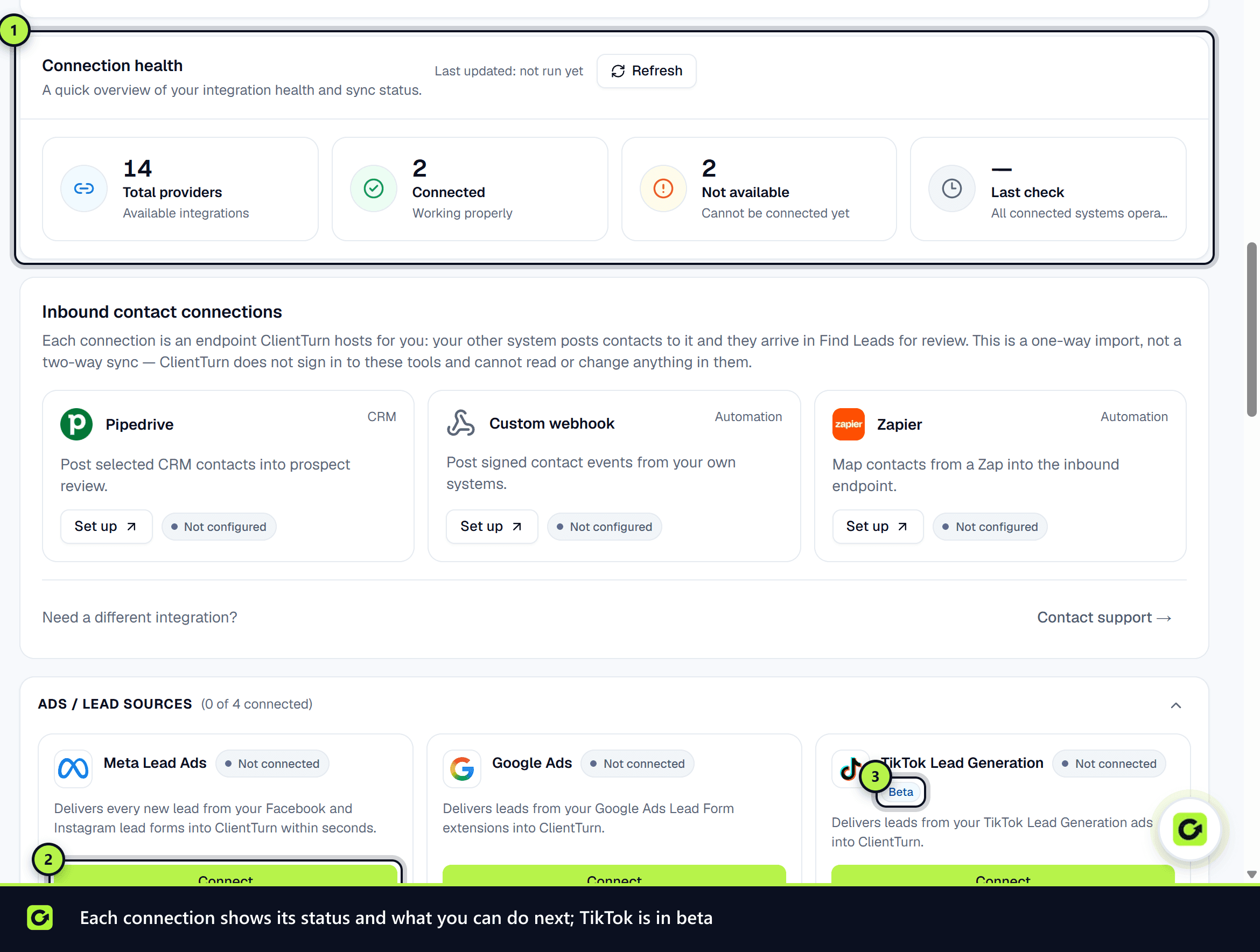
Bring submissions from TikTok Lead Generation ads into ClientTurn as inbound leads
1 min readUpdated 27 September 2026
TikTok Lead Generation ads collect details in a form inside TikTok. ClientTurn reads those submissions from your TikTok for Business advertiser account and adds each one to Leads, with TikTok as its source.
Connect TikTok
- Step 1: Open Settings → Connections and find TikTok Lead Generation under Ads / lead sources.
- Step 2: Choose Connect, then Connect again in the panel.
- Step 3: Sign in to TikTok for Business and authorise ClientTurn for your advertiser account.
- Step 4: Back in Connections, the card shows Connected.
If the card says Not yet available, this deployment does not yet hold the TikTok app credentials the connection needs.
How leads arrive
ClientTurn checks your advertiser account for new submissions every few minutes. Each one goes through the same intake checks as every source (see Lead sources explained), and a new lead is qualified and enters your follow-up sequence.
Related
Screenshots
Still stuck?
Customers can raise a ticket from the help button inside the app. Not a customer yet? Talk to us.