
Finding leads
Lead sources explained
Every way a person or company can arrive in ClientTurn, whether it becomes a lead or a prospect, and which article covers it
3 min readUpdated 27 September 2026
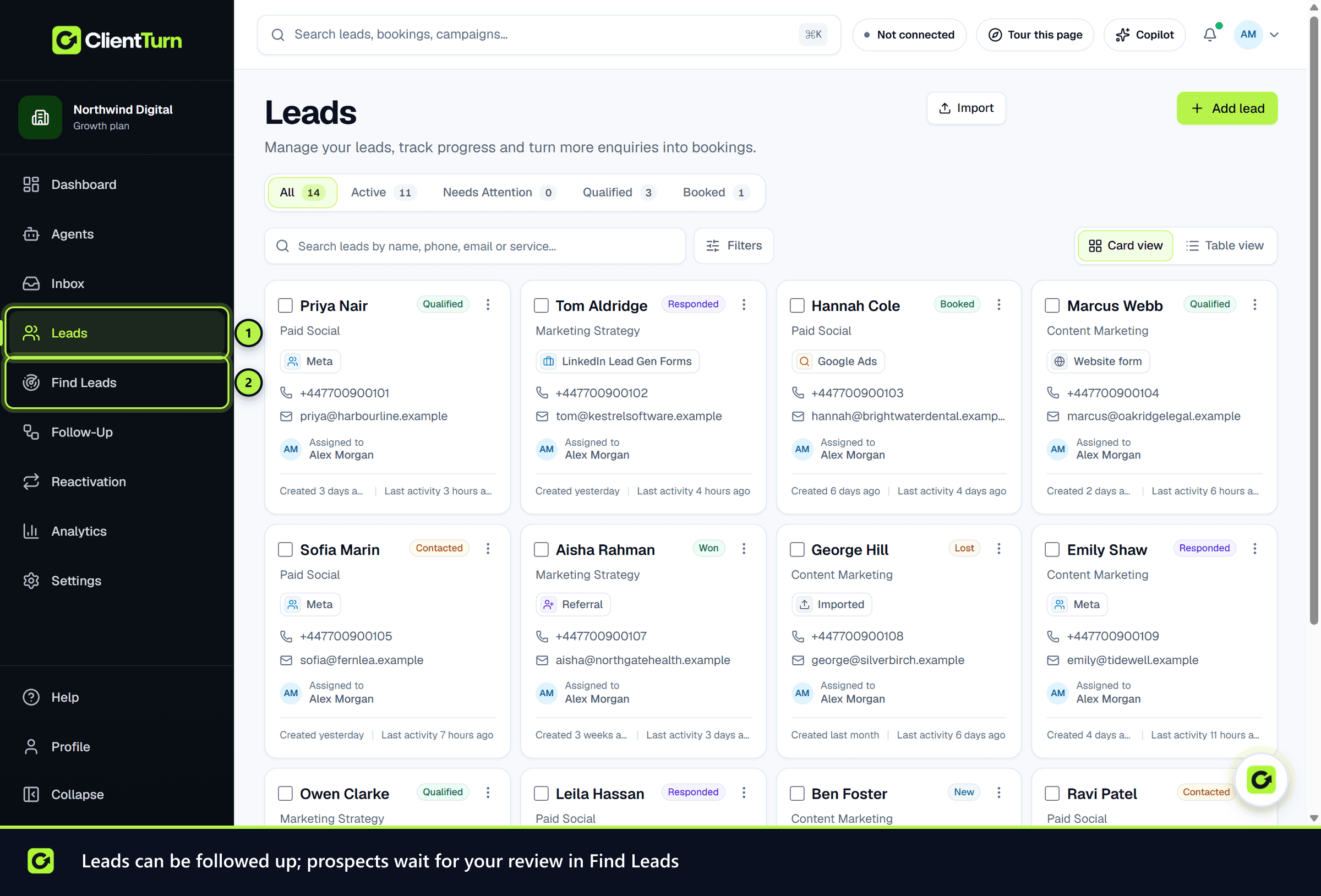
ClientTurn has two lists, and every source feeds one of them:
- Leads holds people who came to you, or who you already know: they filled in a form, messaged you, are an existing customer, or were referred. A lead can enter follow-up.
- Find Leads holds prospects: companies and people you found, or that another system sent you for review. Nobody on this list is contacted until a person approves them.
That split is deliberate. Finding someone's details is not permission to message them, so anything you went out and found waits for review.
Sources that create leads
| Source | How it arrives | Article |
|---|---|---|
| Meta Lead Ads (Facebook and Instagram) | Real-time webhook, with a poll every few minutes as a backstop | Meta Lead Ads |
| Google Ads lead forms | Poll every few minutes, plus an optional webhook | Google Ads lead forms |
| LinkedIn Lead Gen Forms | Poll every few minutes | LinkedIn Lead Gen Forms |
| TikTok lead forms | Poll every few minutes | TikTok lead forms |
| Adding a lead by hand | The Add lead wizard on Leads | Adding a lead manually |
| A CSV file | Leads → Import | Importing a CSV |
| Your own software | POST /api/v1/leads | Leads from the API |
| An AI assistant | The MCP create_lead tool | Leads from MCP |
| HubSpot, Salesforce or Zoho CRM | Optional import of new and changed CRM records | Pulling leads from your CRM |
Sources that create prospects
| Source | How it arrives | Article |
|---|---|---|
| Find Leads discovery | A search plan you approve, run against Companies House, company websites and other permitted providers | Discovering companies with Find Leads |
| Zapier, Pipedrive or any tool that can post a webhook | A signed inbound endpoint | Leads from Zapier and webhooks |
| A CSV row you mark as "We found this person or company" | Leads → Import | Importing a CSV |
| Your LinkedIn connections, or any list you own | Import your list (CSV) in a search plan's LinkedIn filters row | Sales Navigator, assisted |
| LinkedIn company-page engagement | Not offered: LinkedIn's terms forbid using member data to find prospects | LinkedIn company-page engagement |
Where buying signals come from
Find Leads can also look for buying signals on the prospects it finds: a funding round, a new Head of Growth, a new office, a rebrand, a hiring push. These come only from the Companies House register, the company's own website and careers pages, your own CRM or list, and Google Places (to confirm a location). ClientTurn does not scrape LinkedIn or buy intent data. See Intent signals explained.
A prospect becomes a lead when someone chooses Promote to lead and says how the business knows them, or when they reply to outreach.
One intake path
Every lead source above goes through the same intake step. Whatever the source, ClientTurn:
- Step 1: Checks there is at least one usable email address or phone number.
- Step 2: Checks the address or number against your suppression list. A suppressed person is still recorded, so you can see the enquiry, but is never contacted.
- Step 3: Looks for the same person already in your workspace. The same email address, or the same phone number with no conflicting email, is treated as the same person: blank fields are filled and nothing is overwritten.
- Step 4: Records where the enquiry came from (form, campaign, ad, UTM parameters and click IDs where the source supplies them) as a separate "touch", so a person who enquires twice keeps both.
Related
- Discovering companies with Find Leads
- Intent signals explained
- The lead page
- Corporate and individual subscribers
Screenshots
Still stuck?
Customers can raise a ticket from the help button inside the app. Not a customer yet? Talk to us.