
Finding leads
Importing new contacts from your CRM
Switch on the optional import from HubSpot, Salesforce or Zoho CRM so new and changed CRM records appear in Leads, without anyone being messaged
2 min readUpdated 26 September 2026
Once HubSpot, Salesforce or Zoho CRM is connected, ClientTurn can also read new and changed records from your CRM and add them to Leads. This is off by default, and it never messages anyone.
What it reads
| CRM | Records read |
|---|---|
| HubSpot | Contacts |
| Salesforce | Leads |
| Zoho CRM | Leads |
Switch it on
- Step 1: Connect the CRM first. See Integrating with your CRM.
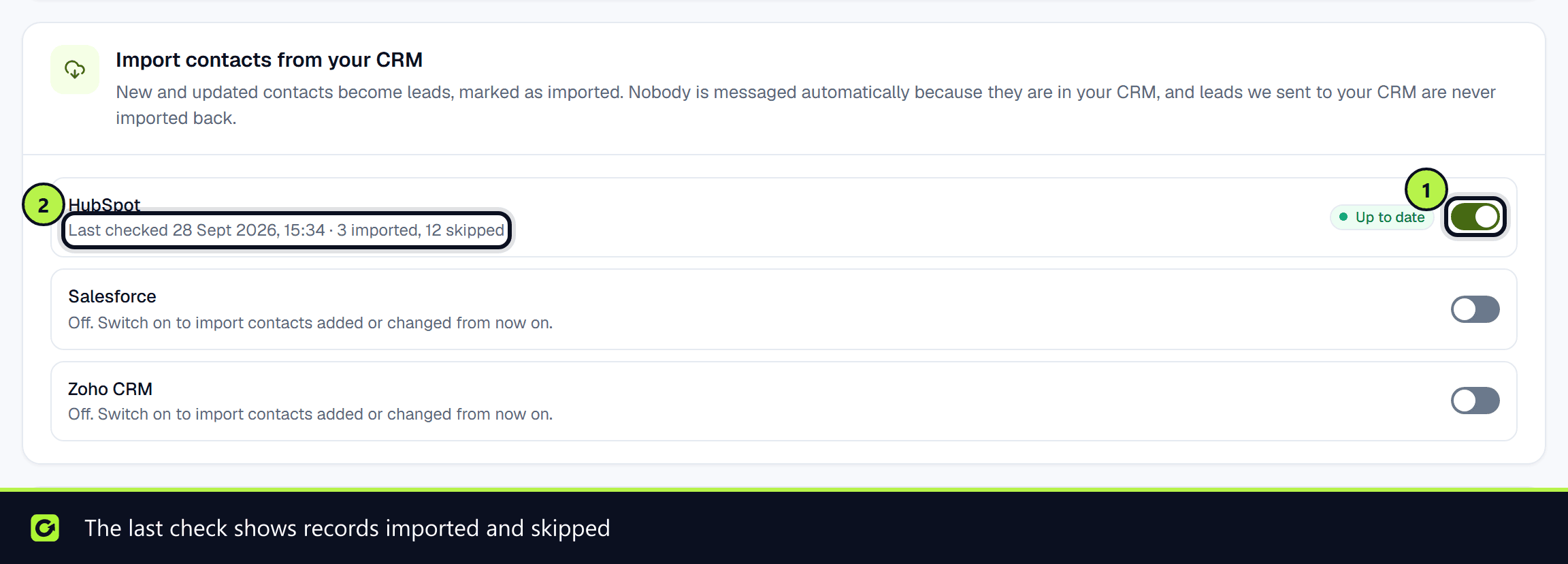
- Step 2: Open Settings → Connections and find Import contacts from your CRM. The card only appears once a CRM is connected.
- Step 3: Switch on Import contacts from your CRM. Only owners and admins can change it.
Only records added or changed from that moment on are imported. Your CRM's history is not backfilled.
Disconnecting the CRM switches its import off. After you reconnect, switch it on again if you still want it.
How it runs
- ClientTurn checks each enabled CRM about every 15 minutes, reading a bounded number of records per check so it stays well inside your CRM's API limits. Anything left over is picked up on the next check.
- The card shows when it last checked, how many records were imported and skipped, and any error.
- If a record fails, the import stops at that record and retries from there next time, so nothing is skipped silently.
What an imported record becomes
- A lead with the relationship Imported from another system. A record in a CRM shows you hold the person's details; it is not consent to marketing.
- Record only: the lead is attributed, scored and recorded, but no follow-up starts. A person decides whether and how to contact them, and every message is still checked against consent and suppression.
- If the CRM record has an owner whose email matches a member of your ClientTurn workspace, the lead is assigned to them. (HubSpot needs the
crm.objects.owners.readscope for this; without it the lead is left unassigned.) - A record with neither an email nor a phone number is skipped.
- A person already in ClientTurn is matched and updated rather than duplicated.
Loop prevention
ClientTurn also pushes qualified and booked leads to your CRM. Records that ClientTurn itself created in the CRM are recognised and never imported back, so the two directions cannot feed each other.
Related
Screenshots
Still stuck?
Customers can raise a ticket from the help button inside the app. Not a customer yet? Talk to us.