
AI agents
AI guides and best practice
How to set up AI & selling so the assistant sounds like you, qualifies at the right depth, keeps the conversation going and brings a person in only when it must and stays within budget
3 min readUpdated 27 September 2026
Settings → AI & selling is where you tell ClientTurn how your business sells and sounds. Owners and admins can change it; everyone else can see the same settings read-only. None of these settings can override the hard rules: suppression and opt-outs, quiet hours, a review decision is always made by your rules, and the AI never quoting a price, a promise or availability it was not given.
Start cautious, then widen
- Step 1: Set the automation level to Suggest replies first. For a week or two, read each draft in Inbox and send, edit or discard it.
- Step 2: Keep Risk tolerance on Cautious or Balanced while you learn how it behaves:
- Cautious asks the lead to clarify whenever the assistant is not clearly confident it read the reply correctly.
- Balanced (the default) asks the lead to clarify when a reply is unclear, and passes the conversation to a person only as a last resort.
- Assertive keeps the same safety floor as Balanced: it never acts on a reply it could not read, and the hard rules still hand over.
- Step 3: Move to Reply automatically when the drafts you are discarding are rare. Discarded drafts are kept, so you can look back at what you rejected.
Tell it how you sell
In Sales behaviour:
- Search for your industry, and set the Business type. This picks the scoring weights and qualification questions that suit your kind of business.
- Tick How you sell, the sales motions that apply to you.
- Choose a Qualification depth:
- Light — ask only what unlocks the next step for your sales motion. Required questions are always asked.
- Standard — ask the most useful questions and stop once enough is known.
- Thorough — ask every configured question that applies.
- Preferred methods are internal planning heuristics for which question to ask next. They are never named to a buyer, and none is validated science; each shows the evidence behind it. See Sales methods explained.
Tell it how you sound
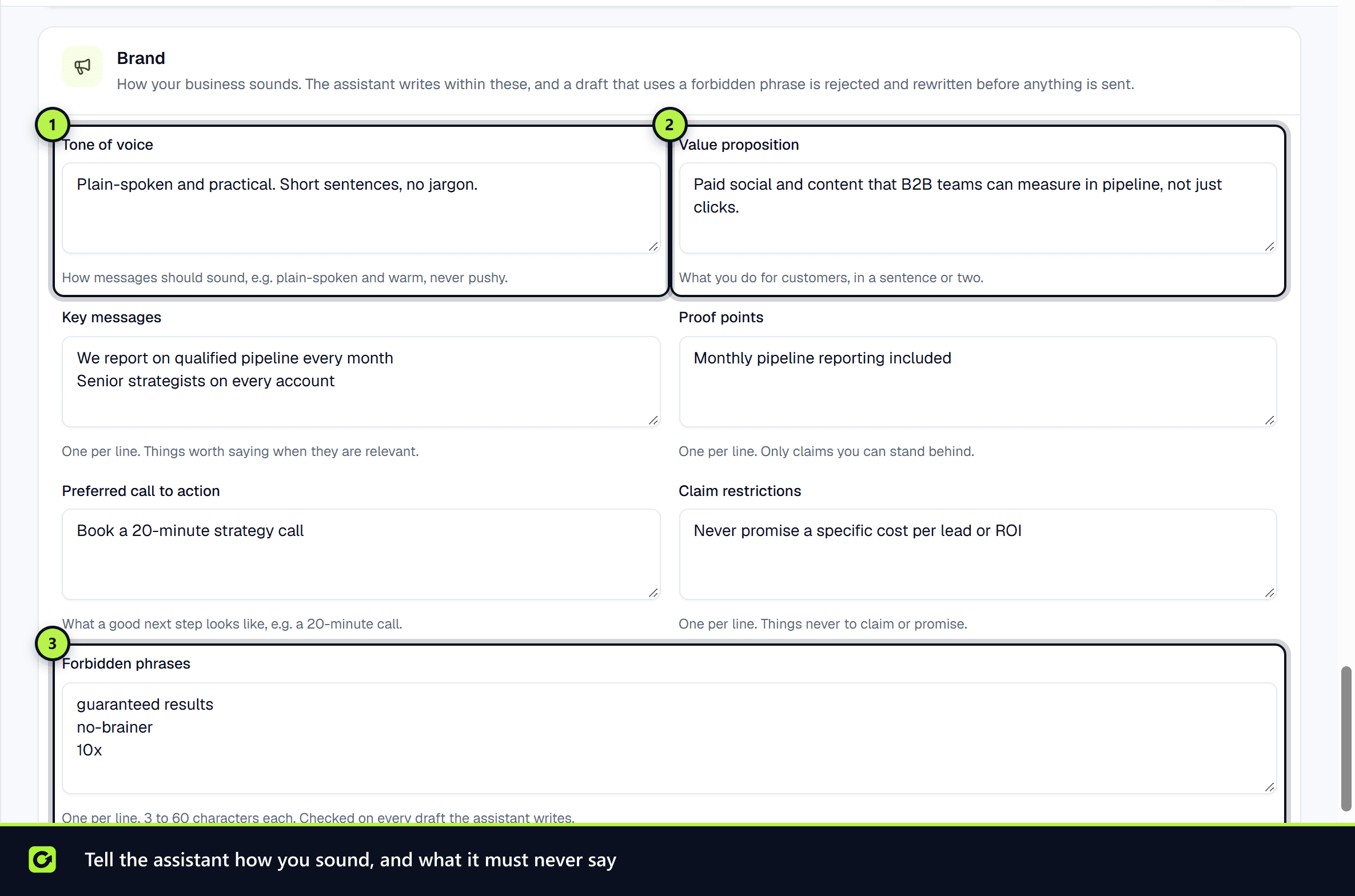
In Brand, fill in what makes your messages yours:
| Field | Good practice |
|---|---|
| Tone of voice | Describe it plainly, for example "plain-spoken and warm, never pushy" |
| Value proposition | One or two sentences on what you do for customers |
| Key messages | One per line; things worth saying when they are relevant |
| Proof points | One per line, and only claims you can stand behind. Never invent results |
| Preferred call to action | What a good next step looks like, for example "a 20-minute call" |
| Claim restrictions | One per line; things never to claim or promise |
| Forbidden phrases | One per line, 3 to 60 characters each. A draft that uses one is rejected and rewritten before anything is sent |
| Good example messages / Bad example messages | Up to five each. They are shown to the assistant as tone examples only, never as facts to repeat |
Keep it inside budget
Set your AI credits limits so a busy month cannot surprise you, and use Research depth: Light if research is more than you need. See AI credits and model tiers.
Keep the facts right
The assistant can only answer from what you have configured: your services, hours, service area, booking setup and business profile. Keep Settings → Workspace and Settings → Business Profile accurate, and publish price wording only if you are happy for it to be quoted.
Record your lawful basis
If you contact people who have not given consent, record a legitimate interests assessment under Compliance on the same page: the purpose, why the processing is necessary, the balancing test, and when it will next be reviewed. See Compliance overview.
Related
Screenshots
Still stuck?
Customers can raise a ticket from the help button inside the app. Not a customer yet? Talk to us.