
AI agents
AI credits and model tiers, in plain words
AI credits, the limits on how many your workspace uses, what happens when a limit is reached, and why ClientTurn picks different AI models for different jobs
3 min readUpdated 30 September 2026
The short version
- AI in ClientTurn is used for a few specific jobs: understanding replies, drafting the assistant's messages, summarising, researching companies, and answering you in Copilot.
- AI use is counted in AI credits, ClientTurn's own unit. An assistant reply uses about 3 credits. Your plan includes a monthly allowance, and you can top up.
- Everything else (follow-up sequences, qualification rules, suppression checks, sending) uses no AI credits at all, so it keeps working whatever your balance.
- If an AI limit is reached, the AI step is skipped or handed to a person. Nothing is sent that would not otherwise have been sent, and no lead goes unanswered because of a limit.
Where to see and set limits
Open Settings → AI & selling and find AI credits.
At the top you will see:
- Used this period — AI credits used so far, out of what you have (your plan's included credits plus any top-ups), and the percentage used.
- Included in your plan — your monthly allowance, and when it renews.
- Top-up balance — credits you bought that are still unused. They carry over.
At 80% and again at 95% the card shows a warning (and owners and admins get a notification). When credits run out, the assistant pauses until you top up or the period renews; your rules keep running.
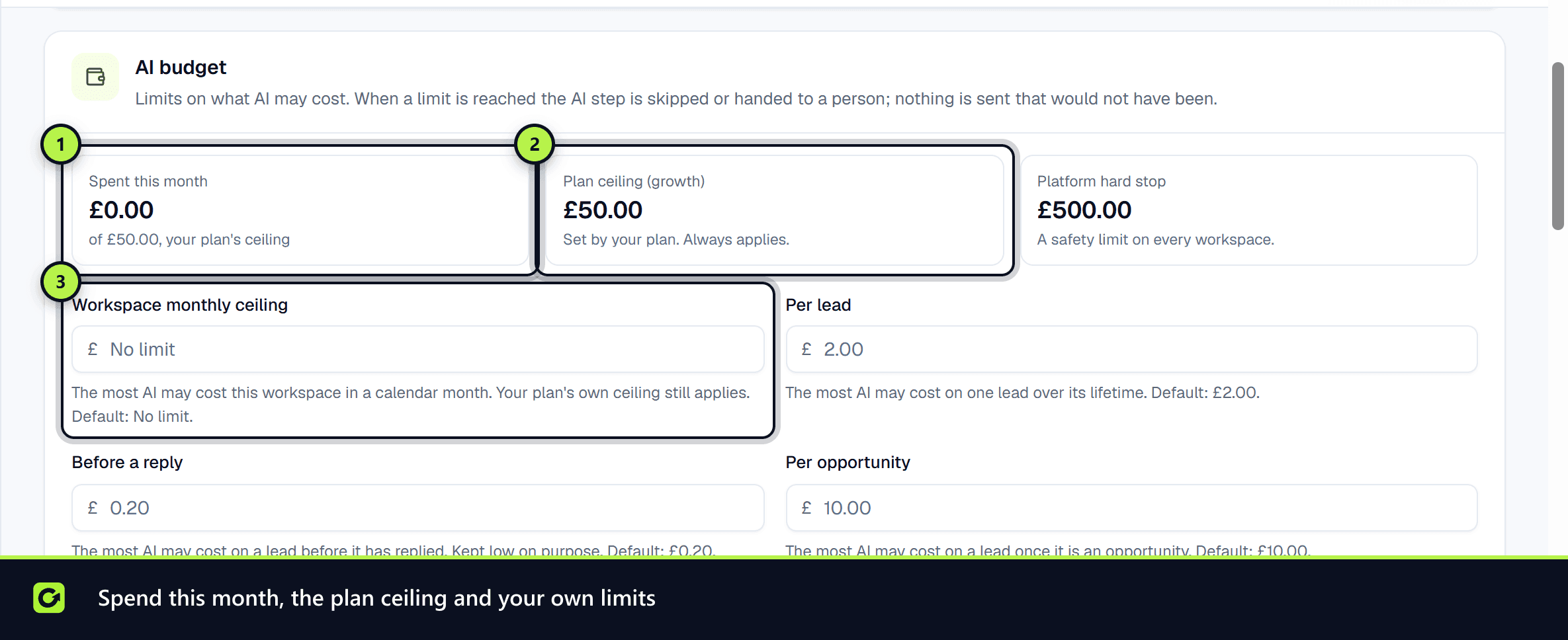
Owners and admins can set the workspace's own limits beneath, all in AI credits:
| Limit | What it caps |
|---|---|
| Workspace monthly limit | The most AI credits this workspace may use in a calendar month. Your plan's allowance still applies |
| Per lead | The most AI credits one lead may use over its lifetime |
| Before a reply | The most AI credits a lead may use before it has replied. Kept low on purpose |
| Per opportunity | The most AI credits a lead may use once it is an opportunity |
Leave a field blank to use the default shown under it. Per-lead limits can be set lower than the default but not higher. Choose Save limits. A limit you set before credits existed is shown in credits and keeps working.
Why there are different models
ClientTurn does not send every job to the same AI model. Each job has a default level, from cheaper and faster to more capable, and ClientTurn picks the cheapest one that is good enough for the job and worth the cost:
- Jobs that decide whether a message is an opt-out, a complaint or a request for a person always get a capable enough model. They are never skipped to save money.
- Before an optional AI step, ClientTurn weighs what it would cost against what it is likely to be worth for that lead. If it is not worth it, the step is skipped and the rule-based path is used instead.
- A valuable opportunity may be given a more capable model, if your limits allow it.
You never choose a model or a prompt. What you can influence is Research depth in AI strategy on the same page:
- Light — research runs on the cheapest level allowed.
- Standard — research runs at its usual level.
- Deep — research may use one level higher, only when your limits and the lead's value allow it.
Plan allowances and top-ups
Buy more AI credits in Settings → Billing & Usage. See Usage and limits and Top-up credits.
Related
Screenshots
Still stuck?
Customers can raise a ticket from the help button inside the app. Not a customer yet? Talk to us.