
Billing
Top-up credits for AI, SMS and WhatsApp
Buy AI credit packs, SMS credit bundles and WhatsApp token packs mid-month, how they are used, and why they never expire
6 min readUpdated 30 September 2026
When a monthly allowance is not enough, you can buy more at any point in the month without changing plan. Top-up credit is prepaid, and it is the only way to go past an allowance: there is no overage and nothing is billed after the fact. There are two kinds of top-up:
- AI credit packs add AI credits to the assistant's allowance.
- Message credits add SMS segments, and WhatsApp token packs add WhatsApp tokens.
Only the workspace owner can buy them. Both are one-off card payments through Stripe, and neither sets up a recurring charge.
AI credit packs
AI use is counted in AI credits, ClientTurn's own unit.
| Pack | AI credits | Price |
|---|---|---|
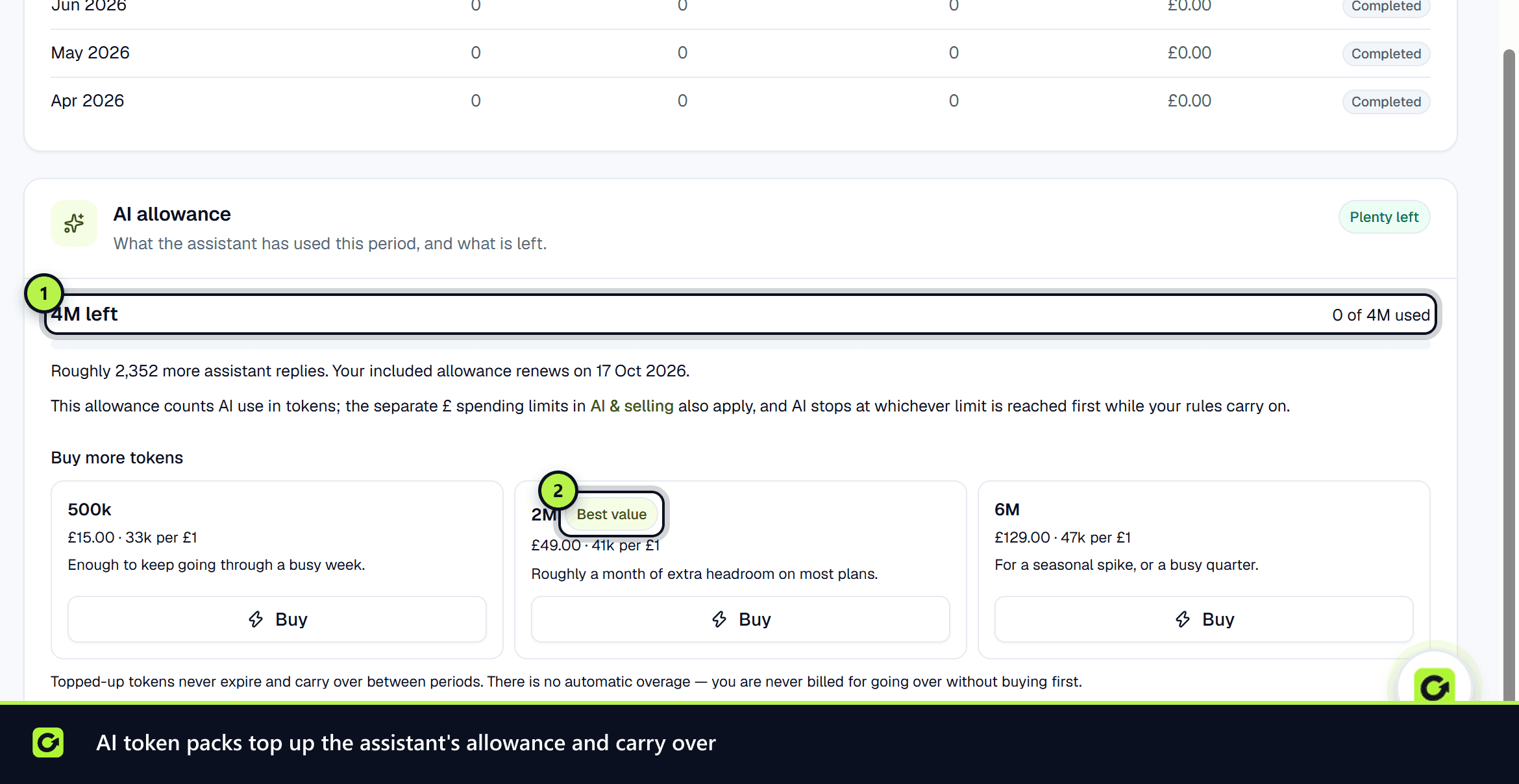
| Small top-up | 500 | £15.00 |
| Medium top-up (best value) | 2,000 | £49.00 |
| Large top-up | 6,000 | £129.00 |
As a rough guide, an assistant reply uses about 3 AI credits, so 1,000 credits is about 360 replies. That is a conservative guide, so you will often get more.
SMS credit bundles
| Bundle | Price | Per unit |
|---|---|---|
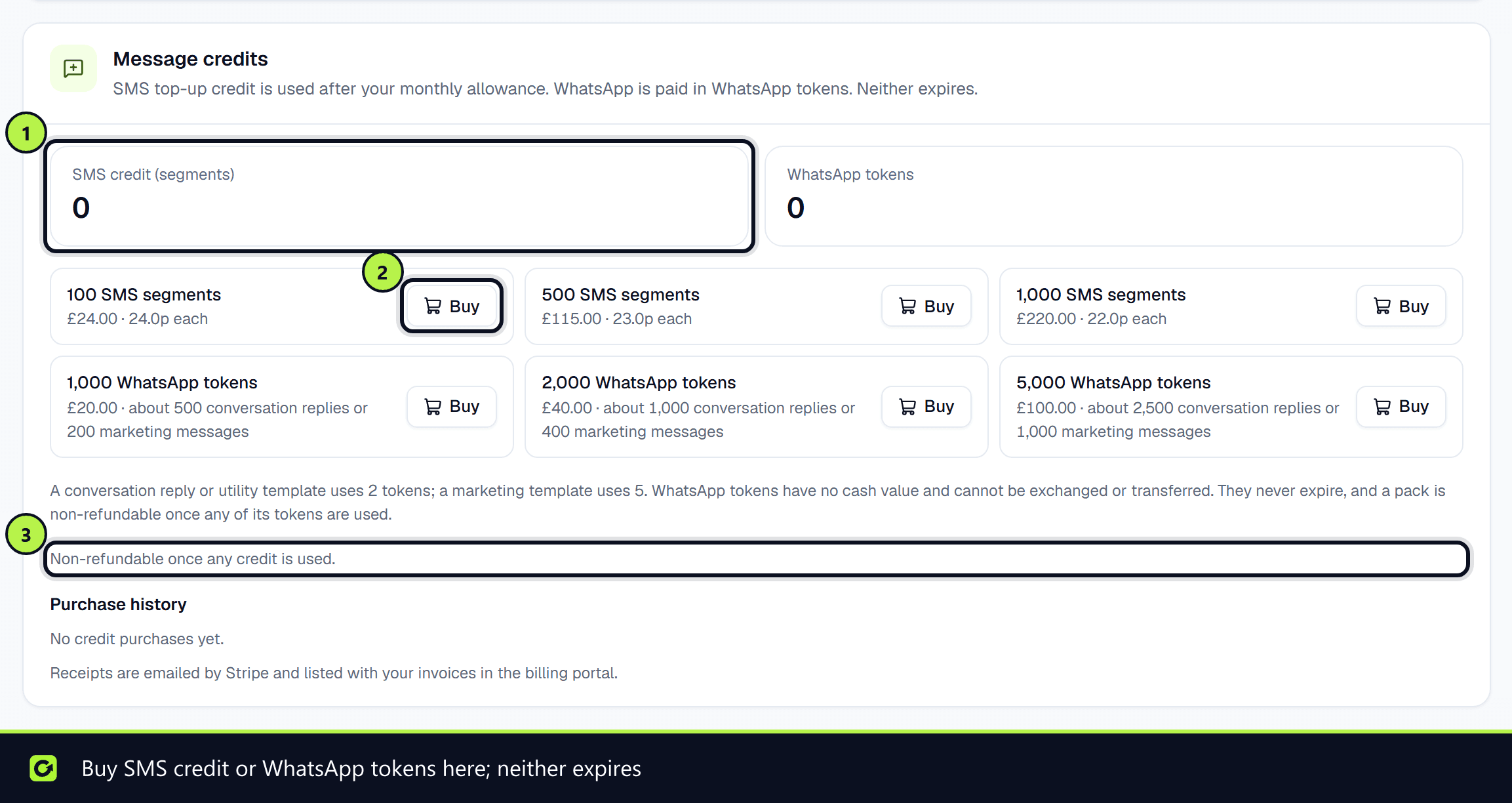
| 100 SMS segments | £24 | 24.0p |
| 500 SMS segments | £115 | 23.0p |
| 1,000 SMS segments | £220 | 22.0p |
One SMS credit is one UK SMS segment. A long text, or one containing an emoji, can use more than one segment.
WhatsApp token packs
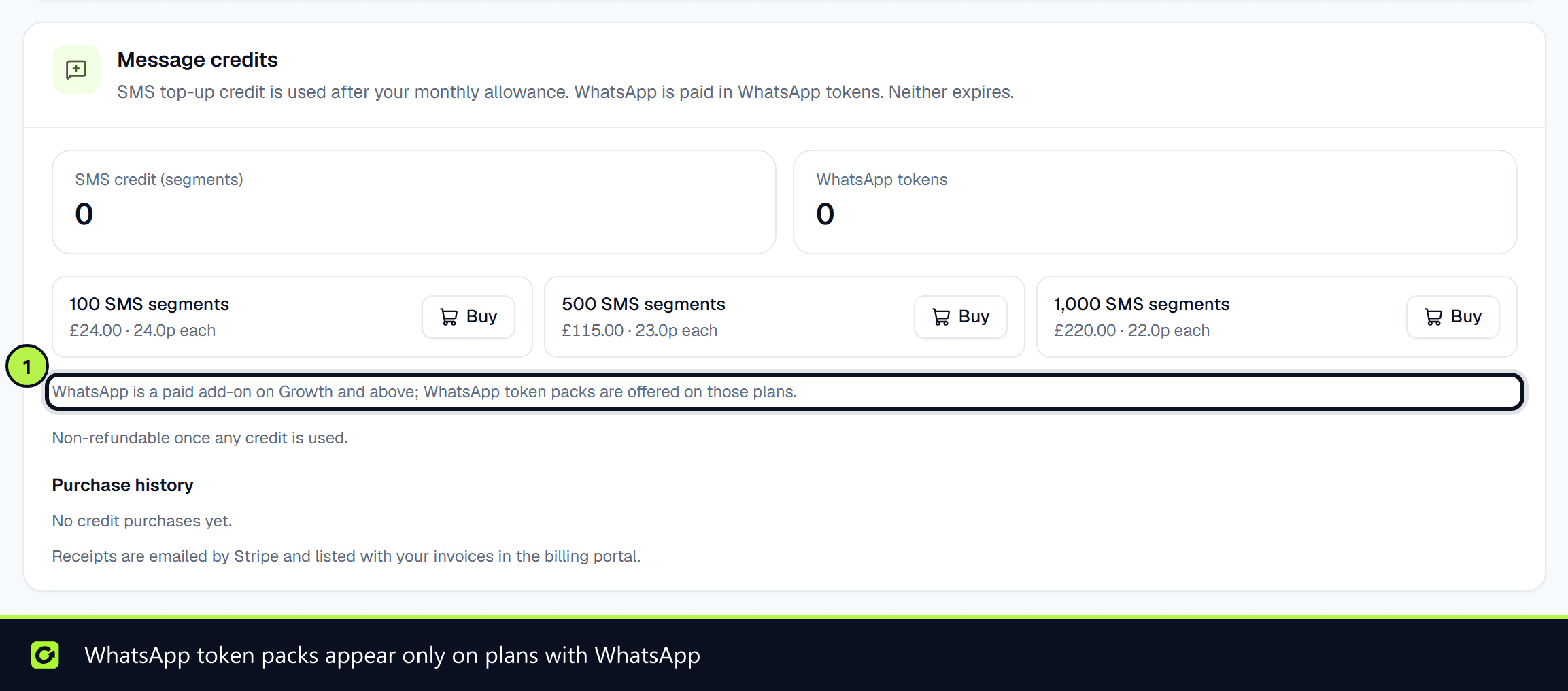
WhatsApp has no included messages on any plan. It is a paid add-on on Growth and above, paid in WhatsApp tokens. There is no monthly WhatsApp platform fee.
Each WhatsApp message uses tokens according to its type:
| Message | Tokens |
|---|---|
| A reply in a conversation (inside WhatsApp's 24-hour window) | 2 (4p) |
| A utility template (for example a booking confirmation) | 2 (4p) |
| A marketing template (for example a reactivation message) | 5 (10p) |
A template's type is the category WhatsApp approved it under. If ClientTurn cannot tell a template's category, it uses the marketing rate.
| Pack | Price | Roughly covers |
|---|---|---|
| 1,000 WhatsApp tokens | £20 | 500 conversation replies or 200 marketing messages |
| 2,000 WhatsApp tokens | £40 | 1,000 conversation replies or 400 marketing messages |
| 5,000 WhatsApp tokens | £100 | 2,500 conversation replies or 1,000 marketing messages |
WhatsApp tokens are units of use, not money. They have no cash value and cannot be exchanged or transferred. They never expire, and a pack is non-refundable once any of its tokens are used.
If you bought WhatsApp message credits before tokens were introduced, each one was converted to 14 tokens, worth slightly more than you paid for it. That is 7 conversation replies or more than 2 marketing messages, where each credit used to cover one message.
How to buy
- Step 1: Open Settings → Billing & Usage.
- Step 2: For messages, go to Message credits and choose Buy next to a bundle. For AI, go to AI credits → Buy more AI credits and choose Buy next to a pack.
- Step 3: Pay in the Stripe checkout. The notice Non-refundable once any credit is used. appears next to every Buy button. See Refunds.
- Step 4: You come back to Billing & Usage. Only the workspace owner can buy credit. The credit is added once Stripe confirms the payment, usually within seconds.
When SMS or WhatsApp is at 75% or more (counting top-up credit and WhatsApp tokens), the Usage & limits table also shows a button for the recommended bundle next to that limit, such as Buy 500 for £115. For other limits the buttons appear at 80%.
When your subscription starts (after a trial or when you subscribe directly), the workspace owner gets one welcome email listing what the plan includes, the AI credit packs and WhatsApp token packs with their prices (or, on Starter, that WhatsApp is available on Growth and above), and a link to Billing.
The Add more when you need it card in Billing & Usage lists the same packs at any time. From time to time you may also see a suggestion to buy a pack when the assistant's AI credits are at 80% or used up, or when a lead asks to talk on WhatsApp. See Upgrade suggestions.
When you are running low
You do not have to keep checking. At 75% used, at 90% and when nothing is left, the workspace owner and admins get a notification and an email, and a banner appears across the app. Each one says how many SMS segments or WhatsApp tokens are left (for WhatsApp, with roughly how many replies that covers), when the allowance resets, and which bundle covers what you are likely to need before then.
Buy SMS credits (or Buy WhatsApp tokens) in the email, notification or banner opens Message credits with that bundle highlighted as Recommended. Choose Buy to pay. The recommendation is the smallest bundle that covers your projected shortfall at your current daily rate, or the largest bundle if none does. See Running low on SMS or WhatsApp for what happens at zero.
During a trial, the running-low message recommends no bundle. It says Start your plan to keep texting and links to Choose your plan instead.
Stripe emails a receipt for each purchase. The Purchase history and Recent top-ups lists show each purchase and its status.
The order credit is used in
For SMS and WhatsApp, each message is paid for in this order:
- Step 1: Your plan's monthly allowance (SMS only: WhatsApp has none, so it starts at step 2).
- Step 2: Top-up credit you have bought: SMS credit, or WhatsApp tokens for WhatsApp.
- Step 3: Otherwise the message is not sent, and the reason is recorded on it. Nothing is charged.
A message is never split. Either all of its segments (or all of its WhatsApp tokens) are covered or it does not go.
There is no overage step. Nothing is ever charged beyond the credit you have bought.
AI credits work the same way. When they run out, the assistant pauses until you top up or the next period starts. Your follow-up sequences and qualification rules keep running while it is paused. Only the AI wording and interpretation stop.
Credit does not expire
- Message credits and WhatsApp tokens stay on your balance until they are used.
- AI credits you bought carry over to the next period. Your plan's included credits do not, because they are granted again each period. Included credits are used first, so what carries over is what is left of the credits you bought.
Refunds
Top-up credit (SMS bundles, WhatsApp token packs and AI credit packs) is prepaid and does not expire.
- A purchase can be refunded only if none of its credit has been used. Once any credit from a purchase has been used, that purchase is non-refundable.
- Credit is used oldest purchase first. So the first purchase you made is the first to become non-refundable.
- Credit and WhatsApp tokens have no cash value and cannot be exchanged or transferred to another workspace.
The Purchase history list shows each purchase as Refundable or Non-refundable (credit in use).
There is no refund button in the app. To ask for a refund of an unused purchase, contact support. If a refund is issued, only the unused credit from that purchase is removed from your balance, and your balance never goes below zero. The purchase then shows as Refunded.
Related
Screenshots
Still stuck?
Customers can raise a ticket from the help button inside the app. Not a customer yet? Talk to us.